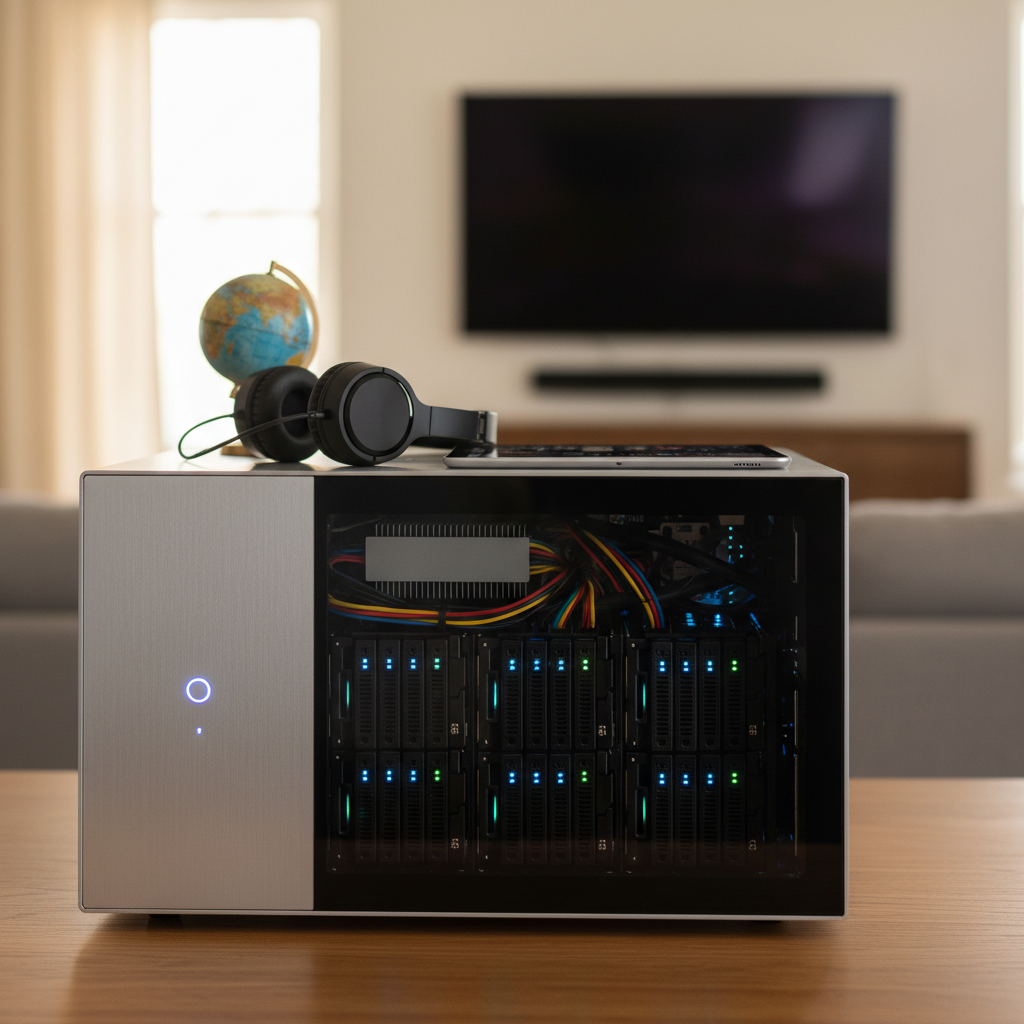
The Case for Your Own Media Kingdom: Why Build a Home Media Server?
Tired of the endless scrolling through streaming catalogs, only to find your favorite show has vanished or that must-see movie requires yet another subscription? In an era where digital content feels increasingly fractured and expensive, the concept of true digital freedom can seem like a distant dream. This is where building a home media server enters the picture, offering not just convenience, but a powerful reclamation of your entertainment experience.
Beyond the immediate gratification of having all your content in one place, the home media server benefits extend deeply into financial empowerment and personal control. With the average cost of streaming services continuing to climb, reaching substantial monthly figures for many households according to CNBC Select, the financial burden of managing multiple subscriptions is real. A home media server provides a compelling streaming alternative, freeing you from escalating fees and the frustrating rotation of content.
So, why build media server when so many options exist? The answer lies in unparalleled autonomy. You gain complete control your media library, from choosing the exact quality and format to deciding precisely who can access it and when. This self-hosted approach also enhances your privacy by keeping your viewing habits off corporate servers. Imagine enjoying your entire collection anywhere, anytime, without needing a constant internet connection for local playback or worrying about expiring licenses. This isn’t just about convenient access; it’s about true digital content ownership. By making this strategic move, you’re not just organizing your entertainment; you’re making a smart, long-term investment in your personal digital ecosystem.
The Financial Advantage: Your Home Media Server as a Smart Investment
Beyond the allure of ultimate control, a home media server presents a compelling financial argument, standing out as a shrewd, long-term investment. Let’s break down the economics. Initially, you’ll face an upfront hardware investment, typically ranging from a few hundred dollars for a repurposed mini-PC and external drives to upwards of $800-$1500 for a dedicated Network Attached Storage (NAS) device with ample, robust storage. This might seem steep at first glance.
However, compare this initial hardware investment against the cumulative streaming subscription costs over a 3-5 year period. With average households subscribing to 3-5 services at $10-$20 each per month, annual costs quickly escalate to $360-$1200. Over five years, that’s $1,800 to $6,000, often exceeding the cost of even a premium build home media server setup. Suddenly, the upfront hardware starts to look like a bargain, positioning your server as a tangible way to save money streaming in the long run.
When calculating the total cost of ownership media server, we factor in not just hardware, but also electricity consumption and negligible maintenance. While a server is always on, modern hardware is surprisingly efficient. An idle media server typically draws 10-30 watts. To put that in perspective, at an average US residential electricity rate (you can find current figures from sources like the EIA), a 20-watt server might add $2-$5 to your monthly bill. This energy consumption media server is often less than the combined power draw of multiple streaming sticks, gaming consoles, and smart TVs running simultaneously.
The media server ROI isn’t solely about direct monetary savings, though those are significant. It’s also about the intangible, yet invaluable, financial benefits home server like preserving your digital assets from content delistings or format obsolescence. You’re investing in enduring access, data ownership, and the freedom to curate a library that truly reflects your tastes, free from external influence.
Ready to explore the nuts and bolts of this smart investment? Let’s dive into the essential components you’ll need to make it a reality.
Essential Components: What You’ll Need to Build Your Server
With the financial advantages clear, it’s time to look under the hood at the home media server hardware that makes digital freedom a reality. Building your own server might sound daunting, but it’s fundamentally about assembling a few key components, each with a distinct role. The beauty is you have options to suit various budgets and technical comfort levels, meaning you can curate the best components media server for your specific needs.
At its core, every server needs a “brain.” For your build home media server project, this could be a low-power, dedicated mini-PC like an Intel NUC, ideal for its compact size and efficiency. Alternatively, repurposing an old desktop PC is a highly cost-effective option, breathing new life into forgotten hardware. For those seeking a more plug-and-play experience, a Network Attached Storage (NAS) device offers a streamlined approach, often coming pre-configured and optimized for media storage. This is where the NAS vs DIY server debate often begins: a NAS provides an appliance-like simplicity, while a DIY build offers unparalleled customization and often better performance for your dollar. If you’re leaning towards the NAS route, exploring options like the best NAS devices can be a great starting point.
Next, you’ll need robust server storage solutions. This is arguably the most critical component for a media server. You’ll primarily rely on Hard Disk Drives (HDDs) for their sheer capacity and cost-effectiveness when storing vast libraries of movies and TV shows. For the operating system and frequently used applications, a Solid State Drive (SSD) will ensure snappy performance. Crucially, consider data redundancy with technologies like RAID (Redundant Array of Independent Disks) or ZFS, which protect against single drive failures – a vital safeguard for your treasured digital collection. While we won’t get into specific hard drive recommendations for media server brands here, focus on enterprise-grade or NAS-specific drives for reliability.
A stable network connection is paramount. A reliable Gigabit Ethernet connection is non-negotiable for smooth streaming, ensuring your media reaches every device in your home without buffering. Make sure your router is capable of handling the bandwidth, especially if you plan on multiple simultaneous streams.
Finally, you’ll need an operating system for media server duties. Popular choices include Linux distributions like Ubuntu or Debian, offering flexibility and lightweight performance. Windows Server or even a standard Windows desktop OS can also work, especially if you’re comfortable with its ecosystem. Alternatively, specialized NAS operating systems like unRAID or TrueNAS Scale are designed specifically for server functions, often simplifying drive management and providing robust features out of the box.
Now that we’ve gathered the essential hardware, the real magic happens with the software that organizes and serves your media. Let’s explore the powerful platforms that bring your digital library to life.
Choosing Your Media Server Software: Plex vs. Jellyfin (and Beyond)
With your hardware ready, the next critical decision involves the brain of your operation: the media server software. This is where your digital library gets organized, beautiful metadata appears, and streaming to your devices becomes effortless. For many, the choice boils down to two heavyweights: Plex and Jellyfin, each offering distinct philosophies and features.
Plex often stands as the reigning champion for ease of use and broad compatibility. Its user-friendly interface makes a Plex server setup remarkably straightforward, even for beginners, quickly transforming your media files into a polished, Netflix-like experience. With extensive client support across almost every device imaginable (smart TVs, phones, gaming consoles), Plex provides robust remote access features, allowing you to stream your content securely from anywhere. While the core features are free, an optional Plex Pass premium subscription unlocks advanced capabilities like hardware transcoding, mobile syncing, and more sophisticated DVR functions, operating within a proprietary ecosystem.
On the other side of the spectrum is Jellyfin, the poster child for the open source media server movement. Completely free and community-driven, Jellyfin gives you absolute control over your data and streaming environment. There’s no premium tier because all features are included from the start, making it a fantastic, privacy-focused alternative. While a Jellyfin install guide might involve a slightly steeper learning curve than Plex for some, its dedication to transparency and user autonomy is a huge draw for the technically curious. For those prioritizing full ownership and customization without vendor lock-in, Jellyfin truly shines. You can explore more about its philosophy here.
While Plex and Jellyfin dominate the conversation, other options like Emby offer a hybrid model, combining some open-source elements with premium features. Ultimately, your choice will hinge on whether you prefer the polished simplicity and broad support of Plex (and its optional premium features) or the freedom, transparency, and community-driven ethos of Jellyfin. This media server software comparison highlights the core trade-offs: convenience versus control. For beginners looking for the best media server software for beginners, Plex often wins on initial setup ease, but Jellyfin’s potential for complete customization makes it a compelling long-term choice.
Understanding these platforms is key before you dive into the actual building. Soon, we’ll walk through the detailed steps of bringing your chosen software to life on your hardware.
Step-by-Step Build & Setup: Bringing Your Server to Life
With your media server software chosen, it’s time to transform your vision into a tangible digital asset. This section guides you through the practical steps of bringing your server to life, from hardware setup to initial software configuration, ensuring you know how to set up home media server effectively.
If you’ve opted for a DIY PC build, your journey begins with the physical assembly. Carefully install your CPU, seating it correctly in its socket, then secure the cooler. Next, snap your RAM modules into their slots, ensuring they are firmly seated. Finally, mount your storage drives—whether SSDs for the OS and cache, or high-capacity HDDs for your media library—connecting them to your motherboard and power supply. Take your time with these initial steps; a solid hardware foundation is paramount.
Once your hardware is ready, the next critical phase is operating system installation. For a robust and free server environment, we highly recommend a Linux distribution like Ubuntu Server LTS. It’s stable, secure, and has a vast community for support. You can find detailed instructions and download the necessary ISO file directly from their website, walking through the process of installing Ubuntu Server and configuring initial settings like user accounts and network details.
After the OS is installed, focus on your media server network setup. It’s crucial to assign your server a static IP address within your local network. This ensures consistent access and prevents issues caused by IP changes. You’ll typically configure this within your router’s settings or directly on the server’s network interface. For advanced users considering remote access, a word of caution on port forwarding: while it allows you to access your server from outside your home network, it significantly increases your security risks. Implement it only if absolutely necessary, with strong passwords and active firewall rules.
Now for the heart of your server: installing your chosen software. For those looking to install Plex server step-by-step, the process usually involves downloading the appropriate package for your OS from Plex’s website and following their straightforward installation wizard or command-line instructions. Similarly, to configure Jellyfin server, you’ll download its package, install it, and then access its web-based interface via your browser to complete the initial setup. Both platforms are designed to be user-friendly, even for a beginner media server guide.
Once the server software is running, attention turns to organize media files. Best practices dictate a consistent folder structure (e.g., /Media/Movies/Movie Title (Year)/Movie Title (Year).ext or /Media/TV Shows/Show Name/Season 01/Show Name - S01E01 - Episode Title.ext). This structured approach, combined with good naming conventions, allows your server software to correctly identify and fetch metadata (cover art, descriptions, cast info) for your content, enhancing your viewing experience.
Finally, the initial configuration within your server software involves pointing it to your media libraries, setting up user profiles with appropriate access permissions, and configuring basic security settings like HTTPS for secure local access. This is where your digital investment truly begins to pay off, giving you complete command over your media. As you get comfortable with the basics, you’ll naturally look for ways to refine and enhance your system, moving beyond setup into the realm of optimization.
Advanced Tips & Optimizations: Enhancing Your Media Experience and Investment
With your home media server confidently brought to life, the journey truly begins toward maximizing its value and ensuring long-term digital freedom. Optimizing your setup moves beyond basic functionality, cementing your server as a robust and reliable smart investment.
A cornerstone of any robust digital investment is data integrity. Implement a thorough media server backup strategy by following the “3-2-1 rule” – three copies of your data, on two different media types, with one copy offsite. For on-server data protection, consider simple RAID configurations (like RAID 1 for mirroring) or more advanced file systems like ZFS pools, which offer superior data integrity and snapshots.
Next, securing your secure home media server is paramount, especially if you plan for remote access. Safeguard your personal data and network by employing a Virtual Private Network (VPN) for all remote connections, ensuring encrypted traffic. Always use strong, unique passwords for all accounts and enable two-factor authentication (2FA) wherever possible. This is particularly vital for Jellyfin remote access security or any service exposing your server to the internet. For additional best practices on securing your network and devices, consult resources like the Cybersecurity and Infrastructure Security Agency’s (CISA) security tips.
To truly optimize Plex performance (or similar server software), delve into hardware-accelerated transcoding. Leveraging integrated graphics like Intel Quick Sync can offload this intensive task from your CPU, significantly reducing resource consumption and enabling smoother streaming for multiple users, even on lower-power hardware. This hardware transcoding media server approach ensures a seamless experience across all your devices and network conditions.
Thinking long-term, consider media server power saving configurations. Scheduled sleep/wake cycles or low-power modes can reduce electricity consumption when the server isn’t in active use, extending hardware life and making your investment even more economical.
Finally, for peak efficiency and an ever-organized library, ethical automation tools can streamline your media management. These can assist with legal media acquisition, such as automatically ripping your existing physical discs, and maintaining consistent naming conventions to ensure your content is perfectly organized and always ready to enjoy. This refinement ensures your digital library remains a curated, effortless pleasure.

Senior technology analyst covering enterprise software, AI, and digital transformation. James has spent over a decade helping business leaders understand how emerging tech reshapes competitive strategy.