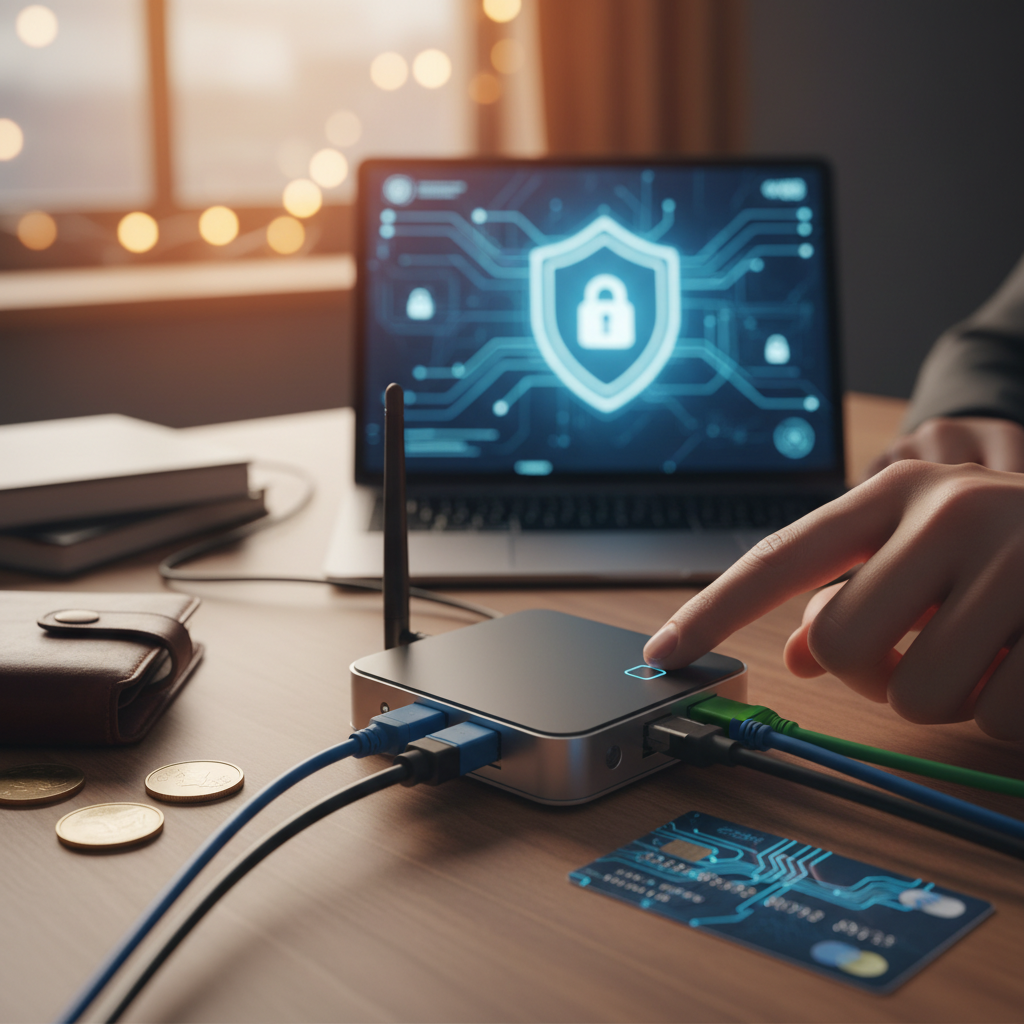
Beyond Basic Privacy: Why Finance Professionals Need a Personal VPN
In the fast-paced world of finance, where information is currency, relying on standard internet security can feel like leaving your vault door ajar. For finance professionals, whether managing portfolios, conducting intricate investment research, or handling sensitive client data, the risks extend far beyond typical privacy concerns. Public Wi-Fi networks, often a necessity for those on the go, are notorious for their vulnerabilities, making sensitive financial transactions and communications ripe for interception by cybercriminals.
Protecting proprietary investment privacy, complex financial models, and invaluable client data isn’t just about compliance; it’s a competitive imperative. A personal VPN server provides an encrypted, private tunnel for all your online activity, safeguarding intellectual property from prying eyes and potential corporate espionage. Especially in the era of remote work finance, ensuring secure access to critical financial systems and work networks is paramount. This isn’t just about general online privacy; it’s about robust, targeted financial security that withstands sophisticated attacks.
Mitigating risks like identity theft, direct data breaches, and the increasingly common threat of corporate espionage requires a proactive approach. A personal VPN server offers a level of data protection and control unmatched by basic security tools, providing a critical layer of defense against these sector-specific threats, as highlighted by recent analyses of financial sector cybersecurity. While commercial VPNs offer a basic level of encryption, true financial professionals often require more bespoke control over their digital defenses…
Personal VPN vs. Commercial VPNs: A Financial User’s Perspective on Control and Cost
While many financial professionals might first consider commercial VPNs for their simplicity, a deeper dive reveals a critical divergence when it comes to security, data control, and ultimate value. The primary appeal of a self-hosted VPN lies in its inherent control: you own the server, you control the data, and crucially, you eliminate the third-party trust inherent in commercial offerings. This means no external provider has access to your connection logs or metadata, a non-negotiable aspect for robust privacy for investment activities.
From a security standpoint, a personal VPN allows for tailored encryption and specific security protocols, significantly reducing your exposure to the mass data breaches that can impact shared commercial networks. This bespoke defense mechanism offers a much stronger shield against targeted attacks. The financial equation is also compelling. While commercial VPNs demand recurring subscription fees that accumulate over time, the personal VPN cost is largely an upfront investment. This often leads to considerable long-term financial ROI, especially when factoring in the dedicated bandwidth a self-hosted solution provides for critical financial transactions and high-volume data transfers, which stands in stark contrast to the often shared and throttled connections of commercial providers.
Moreover, for those operating in global markets, a personal server offers unparalleled flexibility to bypass geo-restrictions and censorship for accessing specific financial market data or intelligence, a challenge explored in a fascinating look at the evolving landscape of global internet restrictions. This level of customization, enabling precise rules and access configurations for your financial applications, is simply not achievable with generic services. Understanding these distinctions is paramount, as the true worth of a personal VPN extends far beyond merely offsetting a subscription fee. It’s about building a digital asset that delivers sustained value, setting the stage for a thorough analysis of its overall financial benefits.
The True Financial ROI of a Personal VPN Server: Beyond the Subscription Fee
Moving beyond the straightforward comparison of monthly costs, the real financial ROI of a personal VPN server becomes strikingly clear when viewed as an investment rather than a mere expense. Consider the hidden “costs” that robust security can mitigate. The potential financial fallout from data breaches, identity theft, or fraud isn’t abstract; it’s a very real threat. Reports indicate that the average cost of a data breach, for instance, soared to $4.45 million in 2023, underscoring the critical need for proactive fraud prevention.
For finance professionals and active investors, the data protection offered by a personal VPN server extends to safeguarding unique intellectual property—be it proprietary trading strategies, complex financial models, or sensitive market research. Losing such valuable assets due to a cyber incident can result in catastrophic financial losses and competitive disadvantage, not to mention the legal and compliance risks associated with mishandling sensitive financial data. The absence of these costly incidents is a direct, quantifiable personal VPN server benefit.
Ultimately, this isn’t just about avoiding the tangible costs of compromised data recovery, reputational damage, or legal penalties. It’s about the invaluable peace of mind that comes from knowing your financial communications and digital interactions are truly private and secure. This intangible value is a cornerstone of investment security, fostering long-term financial stability and digital resilience. Before embarking on building this critical digital asset, it’s wise to ensure all your ducks are in a row.
Essential Pre-Flight Checklist: What You Need Before You Start Your VPN Server Journey
Before you embark on your personal VPN server setup, it’s crucial to gather your tools and understand the terrain. Think of this as your pre-flight checklist for a secure digital journey. First up are the hardware requirements. You don’t need a supercomputer; low-cost options abound. A humble Raspberry Pi is a fantastic and energy-efficient choice for a Raspberry Pi VPN, but repurposing an old, unused PC or investing in a compact mini-PC/NUC are also viable paths, offering flexibility without breaking the bank.
Next, you’ll need a robust operating system. Linux distributions like Ubuntu Server or Debian are the preferred choices, renowned for their stability, security, and minimal resource footprint, making them ideal for a dedicated server. On the network configuration front, familiarity with your home router is key. You’ll need access to configure port forwarding, and securing a static IP address from your ISP or setting up Dynamic DNS (DDNS) will ensure your server is always reachable. While this is a beginner's guide VPN, a basic grasp of the command-line interface (CLI) and general networking concepts will significantly smooth your progress. Finally, a stable and reliable internet connection with adequate upload speeds is non-negotiable for optimal VPN performance. For a broader perspective on what it takes to get started with a personal server, this beginner’s guide offers additional insights. With your foundation solidified, the next logical step is to delve into the heart of your VPN: selecting the right protocol and software.
Step-by-Step Guide: Choosing Your VPN Protocol and Software
With your foundational preparations complete, it’s time to select the core technology that will power your personal VPN: the VPN protocol and its accompanying software. This choice dictates your server’s security, speed, and ease of management. Primarily, you’ll be weighing your options between two robust contenders: OpenVPN and WireGuard.
OpenVPN is the industry veteran, a mature and incredibly robust secure VPN protocol lauded for its audited security and widespread support across nearly every platform. While its OpenVPN setup can sometimes be more involved, its reliability is unquestionable. In contrast, WireGuard is a modern, faster, and more lightweight protocol. Its streamlined codebase promises superior performance and easier WireGuard configuration, making it an increasingly popular choice for self-hosted VPN software. Both are excellent, but WireGuard often wins on speed, while OpenVPN boasts unparalleled compatibility and battle-tested maturity.
Once you’ve decided on your protocol, consider the software. For Raspberry Pi users, PiVPN offers a remarkably simple way to deploy either OpenVPN or WireGuard. Alternatively, you could opt for OpenVPN Access Server for a more feature-rich, web-managed experience, or undertake a manual installation of WireGuard or OpenVPN on your chosen Linux distribution for maximum control. Your decision should hinge on your comfort with command-line interfaces, your hardware’s capabilities, and your specific security and performance needs. To dive deeper into the technical nuances of these options, this comprehensive guide on VPN protocols offers excellent insights. Once you’ve made your selection, you’re ready to bring your personal VPN server to life.
Installation and Configuration: Bringing Your Personal VPN Server to Life
With your chosen hardware running a fresh Linux distribution, it’s time to transform it into a robust privacy guardian. The core of this transformation is the install VPN server software itself. For PiVPN users, a simple curl -L install.pivpn.io | bash command will kick off an interactive setup for either OpenVPN or WireGuard. If you opted for OpenVPN Access Server, follow its specific installation instructions, typically involving a dpkg command after downloading the package. Manual WireGuard or OpenVPN installations, while offering maximum control, require installing the respective packages (apt install openvpn or apt install wireguard on Debian/Ubuntu-based systems) followed by manual configuration file creation.
Once the software is in place, you’ll configure personal VPN settings. This crucial stage involves establishing user accounts for each device that will connect, defining the IP address range for connected clients, and implementing basic firewall rules to bolster your server’s security. Consider robust passwords and disable any unnecessary services.
A critical step for external access is port forwarding on your home router. You’ll need to log into your router’s administration interface (often via a web browser at an address like 192.168.1.1 or 192.168.0.1). Look for sections like “Port Forwarding” or “Virtual Servers” and direct the VPN protocol’s specific port (e.g., UDP 1194 for OpenVPN, UDP 51820 for WireGuard) to your server’s internal IP address. This ensures incoming VPN connection requests can reach your DIY VPN server setup.
Given that most home internet connections use dynamic IP addresses, a Dynamic DNS (DDNS) setup is essential. Services like No-IP or DynDNS provide a stable hostname (e.g., myvpnserver.noip.com) that automatically updates to point to your current home IP. This means you won’t have to track a changing numerical address every time you want to connect. For a deeper dive into making your home network accessible, this guide on Dynamic DNS integration offers valuable insights.
Finally, the client setup phase involves generating unique configuration files for each device you intend to connect. PiVPN and OpenVPN Access Server automate this process, allowing you to easily download or email these profiles. For manual WireGuard, you’ll generate public and private keys and create .conf files tailored for each client.
With your personal VPN server now active and client profiles ready, you’ve established a powerful conduit for secure communication. However, the journey to unparalleled financial security demands ongoing vigilance, which brings us to the advanced measures necessary for true data protection.
Securing Your Investment: Advanced Measures for Financial Data Protection
While your personal VPN server now forms a secure backbone, safeguarding sensitive financial data demands going beyond the basic setup. Think of these next steps as fortifying your digital vault. Paramount to strong VPN server security is implementing robust authentication. Ditch password-based SSH login entirely, opting instead for SSH key authentication. This crucial server hardening measure drastically reduces the risk of unauthorized access.
Next, meticulously configure your firewall. Tools like ufw (Uncomplicated Firewall) or iptables allow you to restrict inbound and outbound traffic to only essential ports, bolstering your data protection for finance by creating a crucial barrier against unwanted intrusions. Complement this with intrusion detection: set up Fail2Ban to automatically block IP addresses that attempt multiple failed login attempts, effectively thwarting brute-force attacks and enhancing your financial data privacy. For deeper dives into general server security best practices, this comprehens ive guide on server hardening offers invaluable insights.
Regular audits and monitoring are also non-negotiable. Consistently review your server logs for any suspicious activity or unusual connection attempts. Furthermore, don’t overlook physical security; ensure your server’s physical location is secure against unauthorized access. If you anticipate multiple users, implement strict access controls, limiting privileges to the absolute minimum required. With these advanced VPN configuration steps, your personal VPN server becomes a truly hardened guardian of your financial assets. Now that your fortress is secure, let’s explore how to connect to it from anywhere.
Accessing Your Personal VPN: Connecting from Anywhere, Securely
With your personal VPN server now a hardened guardian, the next step is learning how to access personal VPN services from your various devices. Begin by installing the appropriate VPN client software for your operating system – whether it’s WireGuard or OpenVPN clients for Windows, macOS, or Linux, or their dedicated apps for iOS and Android. Once installed, the VPN client setup process involves importing the configuration files you generated during server setup. This usually means a simple drag-and-drop or an “Import from file” option within the client’s interface, effortlessly preparing your device to connect to home VPN.
After importing your profile, establishing a connection is typically a single click or tap. Verify your secure remote access by navigating to an IP address checker website (like whatismyip.com); it should now display your home’s public IP, confirming your traffic is routed through your personal server. This is critical for maintaining financial transactions security and privacy. Should you encounter any issues, such as connectivity problems or slow speeds, checking your server logs or restarting the client are good first steps. For more in-depth solutions, this guide to troubleshooting common VPN connection issues can offer valuable insights.
Connecting and disconnecting is straightforward, putting your secure connection at your fingertips whenever you need it. However, setup is just the beginning; maintaining its strength and reliability demands ongoing vigilance.
Maintaining Your Fortress: Updates, Backups, and Monitoring for Enduring Security
While the initial setup of your personal VPN server is a significant accomplishment, the real work of ensuring enduring financial security and data privacy lies in its ongoing VPN server maintenance. Think of your personal VPN as a digital fortress; you wouldn’t leave its walls unpatched or its foundations unchecked.
Regular security updates are paramount. Both your operating system and VPN software must be kept current to patch vulnerabilities that could be exploited. Equally critical is a robust data backup strategy. Periodically back up your VPN server configurations and client profiles. This ensures that in the event of hardware failure or accidental misconfiguration, you can quickly restore your secure access without losing precious time or risking data exposure.
Proactive server monitoring is your early warning system. Utilize tools to watch server health, network traffic, and system logs for any unusual activity or performance dips. This vigilance helps you identify and address issues before they compromise your home server security. Furthermore, conducting periodic security audits, reviewing firewall rules, and access permissions can help tighten your defenses. Don’t forget performance tuning; optimizing your server for speed and reliability ensures a seamless and secure experience. For more insights on keeping your home tech robust, you might find some thoughts on home server stuff at the end of 2025 insightful. Finally, have a disaster recovery plan – knowing what to do if your server fails or data is compromised is key to truly unrivaled protection.

Senior technology analyst covering enterprise software, AI, and digital transformation. James has spent over a decade helping business leaders understand how emerging tech reshapes competitive strategy.